Shopping / Booking
To book, register and pay for a workshop, follow the instructions below. Shopping for a board is very similiar.
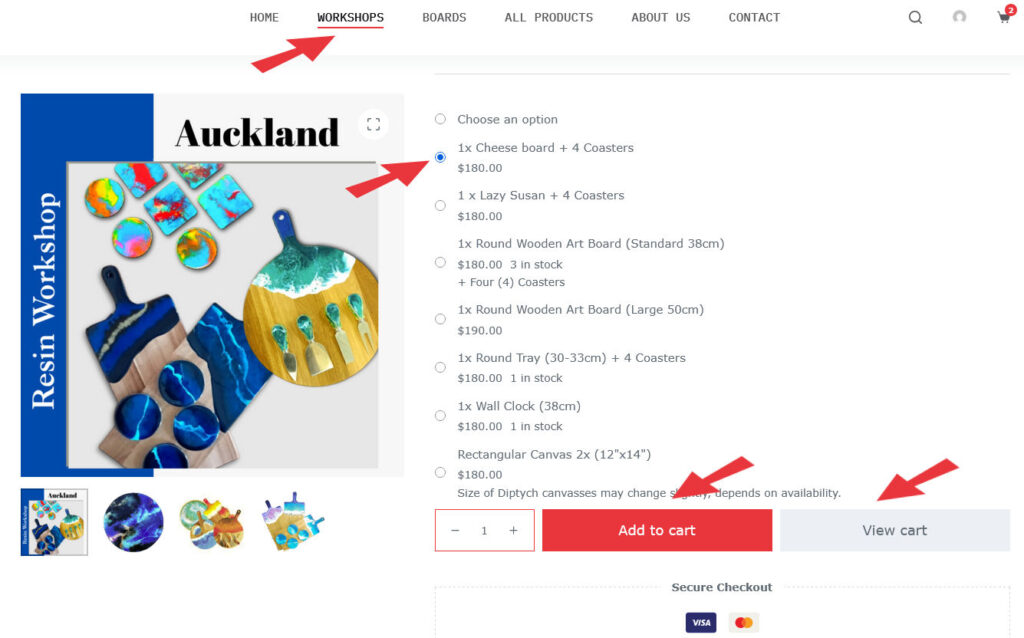
- Select WORKSHOP on the main menu and then select the workshop you wish to attend.
- Choose an option (the radio button/circle will be filled in)
- You can add more people (qty) with the same option
- Click red add to Cart button
- A grey button View Cart will appear, Click this button
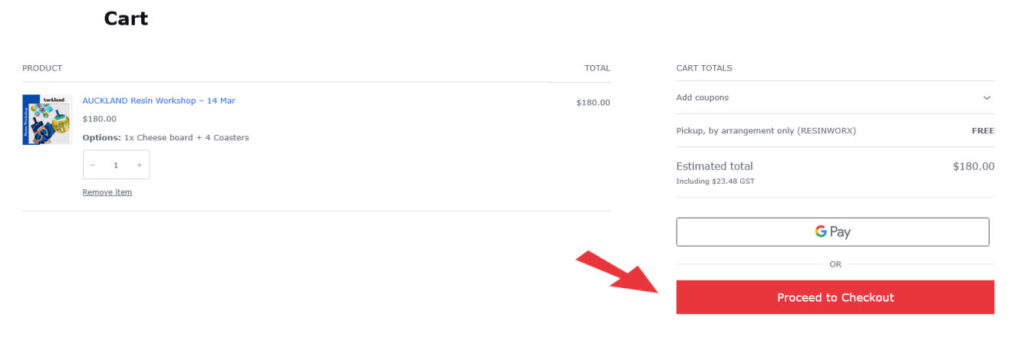
New Window opens
- If the item in the cart is correct, click the Proceed to Checkout button
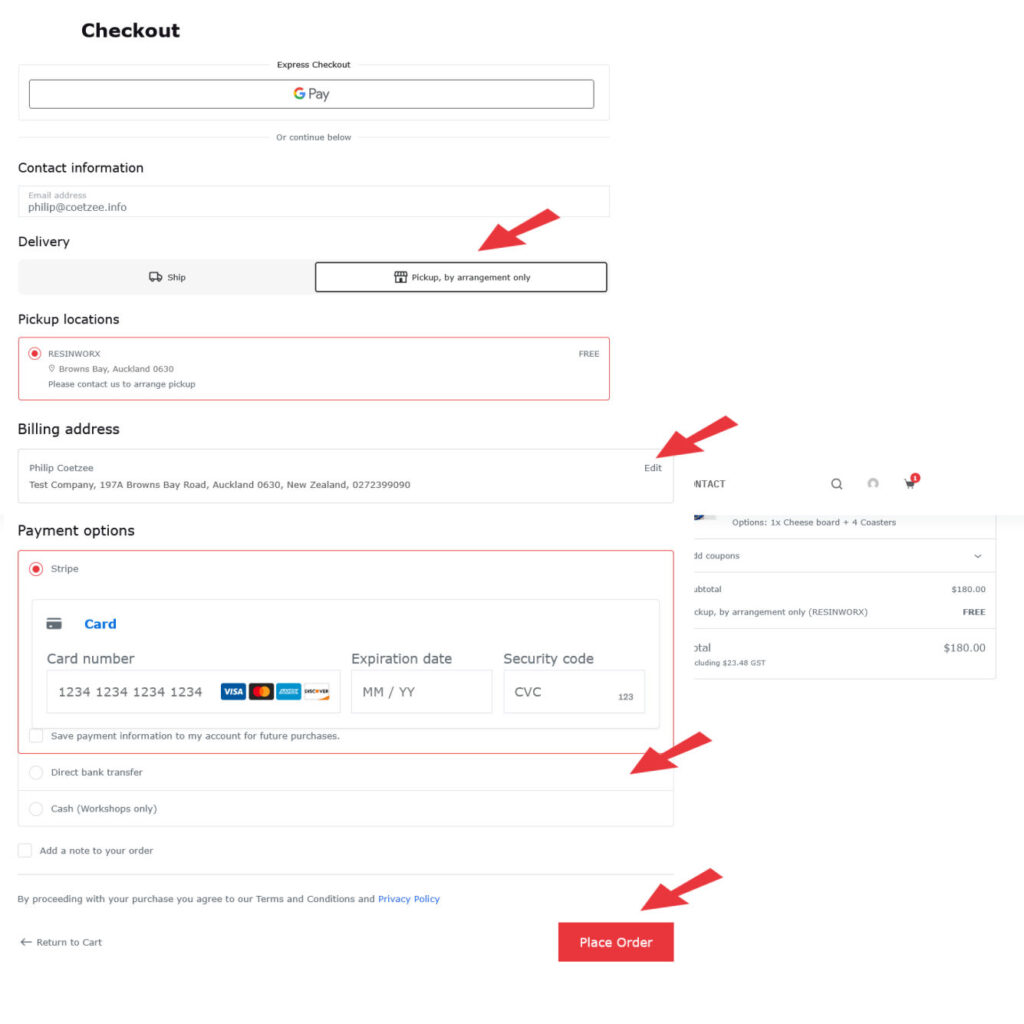
Final window opens
- Select Delivery
If it is Ship, just make sure there is no courier fee added, or select select Pickup - Click Edit for billing address and fill in YOUR addres details for the record.
- Select a Payment Option e.g. Credit Card (secure server), Bank Transfer or Cash on the day. Your choice.
- Click Place Order button
- All done. You should receive an automated reply (check spam folder).
Thank you for Shopping / Booking at Resinworx